photography / THE ART OF GIVING
Photo printers for memories worth keeping
For the friend who keeps every little memory. Photo-printing gifts for journals, albums and moments worth sharing.
Explore the editSome photographs deserve a place beyond the camera roll. A photo printer lets her turn a favourite day, a familiar face or a small everyday moment into something she can keep. From little prints for journals to larger photographs for albums, these five options offer different ways to bring those memories into her home.
As an Amazon Associate we earn from qualifying purchases.
CHOSEN WITH HER IN MIND
The gift edit
05 thoughtful finds
01for a home photo album
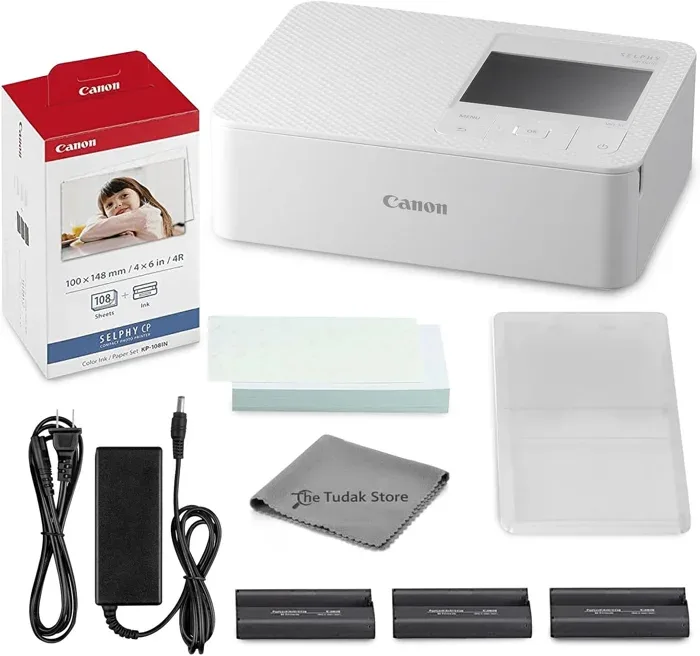
Canon SELPHY CP1500 printer bundle
Someone who wants a photo-printing bundle for home.
This source bundle lists a Canon SELPHY CP1500, 108 sheets of KP-108 paper, three colour ink cartridges and a cleaning cloth, with Wi-Fi printing.
Check the exact bundle contents, supported phone connections and power arrangement before buying. It needs compatible replacement paper and cartridges once the included supplies are used.
02for small sticky prints
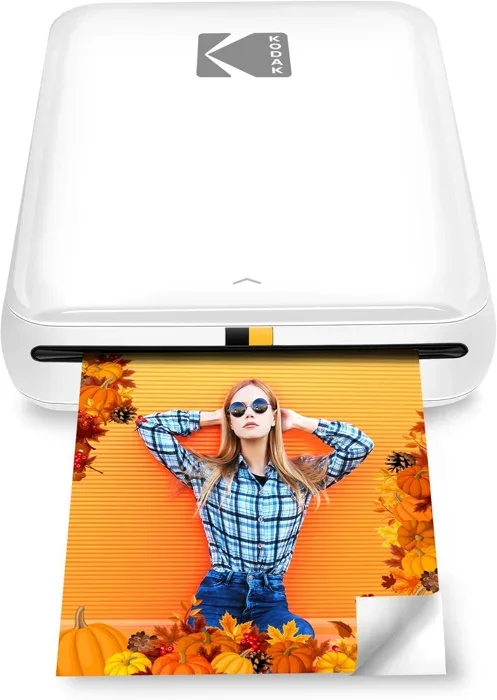
KODAK Step mini photo printer
On-the-go memory sharers who want to snap, print, and stick photos to scrapbooks or surfaces without carrying bulky gear.
The listing describes 2x3 inch peel-and-stick prints on compatible ZINK paper, without a separate ink cartridge, plus phone-app editing.
The 2x3 inch print size is noticeably small compared to the 4x6 output available from several other picks in this set.
03for a home printing spot
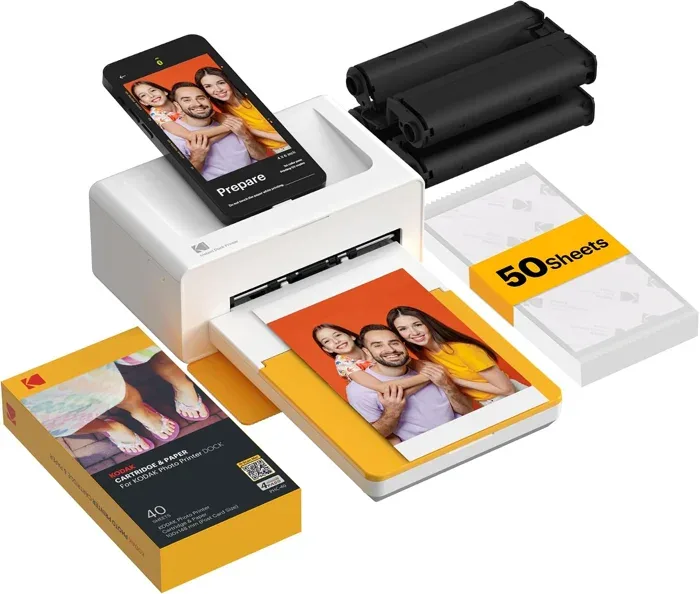
KODAK Dock Plus photo printer
Home users who want larger 4x6 prints and the convenience of charging their phone while printing.
The seller describes 4x6 inch printing and a dock that charges compatible phones during use. Check whether her phone fits and supports the advertised connection.
The listing specifies a power outlet, so plan for a fixed printing spot with a suitable socket and adapter.
04for a ready to start bundle
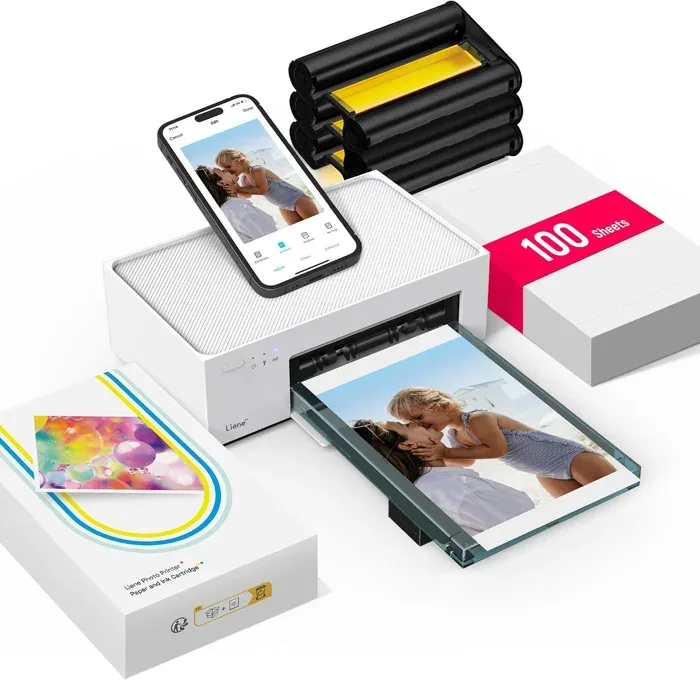
Liene M100 photo printer bundle
Someone who wants a home photo printer with a starter supply of paper and cartridges.
The source bundle lists 100 sheets and three colour cartridges. Its own Wi-Fi hotspot is intended for connecting a phone without a separate home network.
The built-in hotspot approach for Wi-Fi connectivity may require switching your phone network, which can be less seamless than router-based Wi-Fi.
05for printing with friends
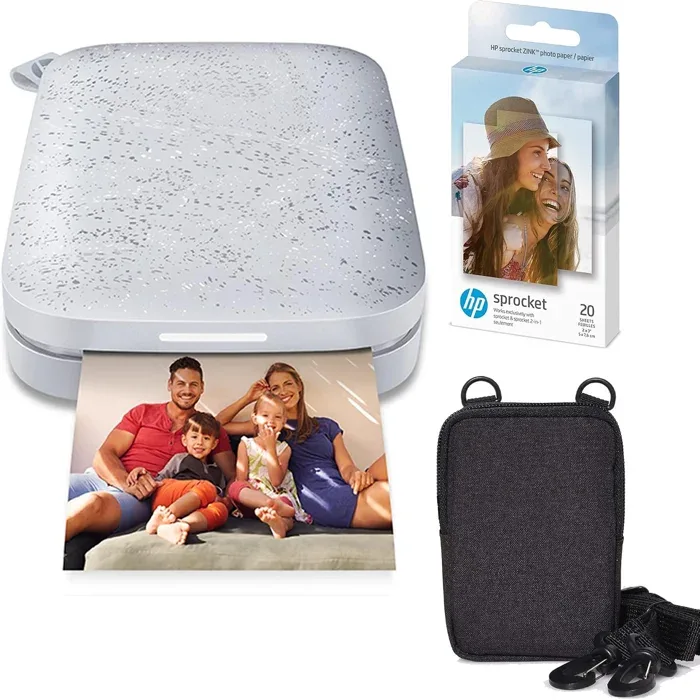
HP Sprocket photo printer, Luna Pearl
Social and party-focused users who want everyone in a group to join the printing fun from their own smartphones.
The listing describes 2x3 inch ZINK prints, Bluetooth 5.0 and an app mode that lets friends connect for group printing.
ZINK Zero Ink produces 2x3 inch prints, which are smaller than the 4x6 output from several other picks here, limiting display and framing options.
How to choose
Print Size and Format
Printers in this category fall into two clear camps: compact 2x3 inch pocket prints and larger 4x6 inch prints closer to a standard photo. The smaller format suits on-the-go sharing and sticker decoration, while the 4x6 format is better for framing, albums, and gifts. Think about how your friend plans to display or share the photos before choosing.
Ink Technology and Ongoing Cost
The KODAK Step and HP Sprocket use compatible ZINK paper without a separate ink cartridge. The other listings describe dye-sublimation printing with dedicated paper and cartridges. Check the exact replacement supplies and their current cost. We have not tested these printers side by side, so printing technology alone is not a quality ranking.
Connectivity and Compatibility
Check the printer app, the phone operating-system versions it supports, and the available connection methods. These listings include Bluetooth, Wi-Fi and a physical dock. A wireless connection does not establish battery operation or guarantee that a particular phone will fit a dock.
Portability and Power Source
Match the physical size and power arrangement to where she wants to print. The KODAK Dock Plus listing explicitly describes a power outlet. For every model, confirm the battery, charging requirements or mains adapter, and what is included in the exact bundle. Words such as portable or wireless do not by themselves confirm cable-free printing.
Starter Paper and Supply Bundling
Some kits ship with enough paper and cartridges to start printing right away, while others include only a small starter pack that runs out quickly. Check how many sheets come included and whether replacement supplies are easy to find, since a printer sitting idle because consumables are hard to source defeats the purpose. A generous bundle is especially worthwhile as a gift so the recipient can enjoy it immediately without an extra purchase.
Make it personal
Choose a favourite photograph of the two of you and include a note about the day it was taken. The printer is the gift; the memory is a lovely place to begin.
A few useful details
What print size should I choose for someone who wants to frame photos versus stick them in a scrapbook?
Start with the frame, album or journal she uses. KODAK Dock Plus and Liene M100 are listed for 4x6 inch photos; KODAK Step and HP Sprocket are listed for 2x3 inch prints. The smaller adhesive format can suit journals, while larger prints suit appropriately sized frames. Confirm supported sizes and the paper supplied with the exact Canon bundle before buying.
How durable are instant photo prints, and will they hold up in a scrapbook over time?
The listings make various claims about resistance to water, fingerprints, smudging and fading. We have not independently tested those claims or long-term storage performance. Follow the paper and printer manufacturer's storage advice, and keep digital copies of photographs that matter to her.
Which of these printers works best for on-the-go use at events or while traveling?
The compact KODAK Step and HP Sprocket formats may suit someone who wants to carry a small printer. Confirm battery operation, charging and expected runtime before buying. The KODAK Dock Plus listing specifies an outlet, while the word portable in the Liene listing does not establish battery operation. Compare dimensions and power requirements for the exact model rather than assuming all wireless printers work without a cable.
Do these printers require ongoing ink or cartridge purchases, and how does that affect long-term cost?
ZINK models need compatible ZINK paper, without a separate ink cartridge. The dye-sublimation listings use dedicated paper and cartridges. Check the exact supply packs, the number of prints included and their current retailer cost. A printer bundle with starter paper still needs replacement supplies later.
How complicated is the initial setup, and does the printer need a home Wi-Fi network to work?
Connection methods differ. HP Sprocket and KODAK Dock Plus list Bluetooth, Liene describes its own Wi-Fi hotspot, and Canon lists Wi-Fi printing. Check the current app requirements, supported phone models and direct-connection options in the manufacturer's instructions. We have not timed setup or verified every phone combination.